2010/05/16
2010/05/15
CentOS-5.5 is now released
CentOS 5.5 Release Notes
http://wiki.centos.org/Manuals/ReleaseNotes/CentOS5.5
[CentOS-announce] Release for CentOS-5.5 i386 and x86_64
http://www.blogger.com/post-create.g?blogID=4024735012335715488
http://wiki.centos.org/Manuals/ReleaseNotes/CentOS5.5
[CentOS-announce] Release for CentOS-5.5 i386 and x86_64
http://www.blogger.com/post-create.g?blogID=4024735012335715488

CentOS 5.5
CentOS5.4からCentOS5.5にyum update.
# cat /etc/redhat-release
CentOS release 5.4 (Final)
# cat /etc/redhat-release
CentOS release 5.5 (Final)
kernel-2.6.18-194.el5
httpd-2.2.3-43.el5.centos
mysql-5.0.77-4.el5_4.2
samba-3.0.33-3.28.el5
perl-5.8.8-27.el5
php-5.1.6-27.el5
# cat /etc/redhat-release
CentOS release 5.4 (Final)
# cat /etc/redhat-release
CentOS release 5.5 (Final)
kernel-2.6.18-194.el5
httpd-2.2.3-43.el5.centos
mysql-5.0.77-4.el5_4.2
samba-3.0.33-3.28.el5
perl-5.8.8-27.el5
php-5.1.6-27.el5
2010/05/14
2010/05/13
2010/05/12
Samba エラー
smbd 立ち上げ時の log.smbd
[2010/05/12 20:50:19, 0] smbd/server.c:1065(main)
smbd version 3.4.5 started.
Copyright Andrew Tridgell and the Samba Team 1992-2009
[2010/05/12 20:50:19, 0] smbd/server.c:457(smbd_open_one_socket)
smbd_open_once_socket: open_socket_in: アドレスは既に使用中です
文句を言われるけど動作は問題なさそう.
[2010/05/12 20:50:19, 0] smbd/server.c:1065(main)
smbd version 3.4.5 started.
Copyright Andrew Tridgell and the Samba Team 1992-2009
[2010/05/12 20:50:19, 0] smbd/server.c:457(smbd_open_one_socket)
smbd_open_once_socket: open_socket_in: アドレスは既に使用中です
文句を言われるけど動作は問題なさそう.
2010/05/11
MySQL 設定されている権限の確認
mysql> show grants for [user name];
正確には...
mysql> show grants for '[user name]'@'localhost';
正確には...
mysql> show grants for '[user name]'@'localhost';
MySQL 設定されている権限の確認
mysql> show grants for [user name];
正確には...
mysql> show grants for '[user name]'@'localhost';
正確には...
mysql> show grants for '[user name]'@'localhost';
MySQL バックアップ mysqldump
mysqldump — データベースバックアッププログラム
http://dev.mysql.com/doc/refman/5.1/ja/mysqldump.html
mysqldumpでバックアップをする時につけるオプション
http://tech.lampetty.net/tech/index.php/archives/292
http://dev.mysql.com/doc/refman/5.1/ja/mysqldump.html
mysqldumpでバックアップをする時につけるオプション
http://tech.lampetty.net/tech/index.php/archives/292
PDOドライバーのインストール
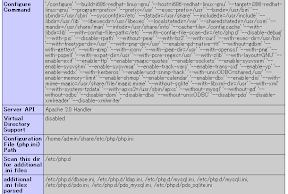
ほぼデフォルトのCentOSではPDOドライバーがインストールされていない.
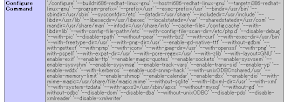
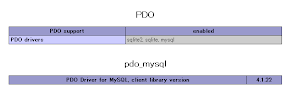
PHPをソースからビルドしている場合でPDOを有効にしている場合は
こんな感じになる.

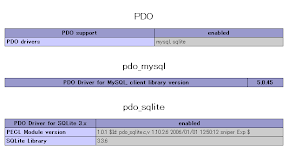
CentOSでPDOまわりをインストールする.
# yum install php-pdo
# yum install php-mysql
データベース認証
データベース(MySQL)を参照して認証する方法
http://good-stream.com/goodstream/server/apache/tips/authmysql.html
ENCRYPTでパスワード文字列を暗号化する方法
http://www.horse-water.mydns.jp/tips/tips_L00007.html
その他の参考)
mod_auth_mysqlを利用してBasic認証にMySQLのデータを利用する
http://blog.katsuma.tv/2007/10/mod_auth_mysql_basic_auth.html
文字列を暗号化する(crypt()、md5()、sha1()、str_rot13())
http://www.php-ref.com/bapi/02_crypt.html
http://good-stream.com/goodstream/server/apache/tips/authmysql.html
ENCRYPTでパスワード文字列を暗号化する方法
http://www.horse-water.mydns.jp/tips/tips_L00007.html
その他の参考)
mod_auth_mysqlを利用してBasic認証にMySQLのデータを利用する
http://blog.katsuma.tv/2007/10/mod_auth_mysql_basic_auth.html
文字列を暗号化する(crypt()、md5()、sha1()、str_rot13())
http://www.php-ref.com/bapi/02_crypt.html
MySQLの文字化け対策
MySQLの文字化け対策
http://blog.inasphere.net/2007/05/mysql_cha
rset.html
PHP も DBも両方ともUTF8に設定しても文字化けするとき.
SET NAMES UTF8 クエリーを送っておくと解決できる.
http://blog.inasphere.net/2007/05/mysql_cha
rset.html
PHP も DBも両方ともUTF8に設定しても文字化けするとき.
SET NAMES UTF8 クエリーを送っておくと解決できる.
MySQL UTF8を指定したデータベース作成
mysql> CREATE DATABASE データベース名 DEFAULT CHARACTER SET utf8;
mysql> CREATE DATABASE [database name] DEFAULT CHARACTER SET utf8;
参考)MySQL: ログインと新規データベースの作成・削除 - CREATE DATABASE、DROP DATABASE文
http://www.yukun.info/blog/2008/10/mysql-login-user-create-database.html
mysql> CREATE DATABASE [database name] DEFAULT CHARACTER SET utf8;
参考)MySQL: ログインと新規データベースの作成・削除 - CREATE DATABASE、DROP DATABASE文
http://www.yukun.info/blog/2008/10/mysql-login-user-create-database.html
MySQL ユーザのアクセス権限の設定
既存アカウントにアクセスできるデータベースの設定.
mysql> GRANT [与える権限] ON [データベース名].[テーブル] TO [アカウント名];
mysql> GRANT [ALL] ON [dbname].[table] TO [user name];
全権限を与える場合は ALL.
例)grant ALL on データベース名.* to アカウント@localhost;
データベース TEST の全てのテーブルの場合は TEST.* とする.
mysql> GRANT [与える権限] ON [データベース名].[テーブル] TO [アカウント名];
mysql> GRANT [ALL] ON [dbname].[table] TO [user name];
全権限を与える場合は ALL.
例)grant ALL on データベース名.* to アカウント@localhost;
データベース TEST の全てのテーブルの場合は TEST.* とする.
登録:
投稿 (Atom)